Color Blend Tool
BTTB uses a different UV Map space than the original WickedWhims bottom body mesh. The penis area was reworked to utilize more space to allow for more detail. The trade-off is compatibility; most skin tones, especially Alpha skins, result in the penis area turning Black because of the lack of pixel information in the new UV Map area.
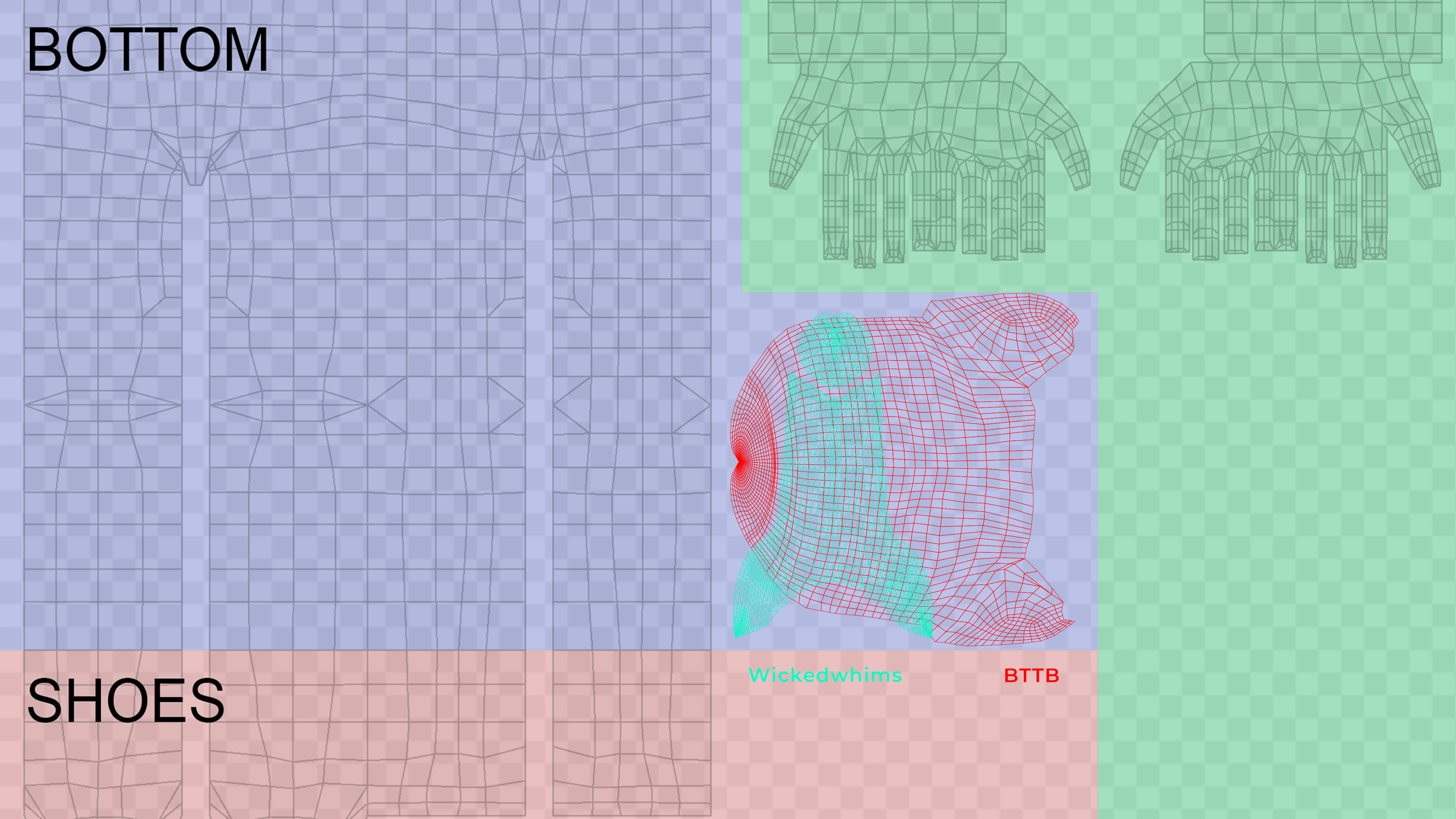
Types of Skin
BTTB's Native Skin
BTTB's Native skin from BTTB 6 and 7 is compatible with BTTB 7. It's made specially to utilize the body mesh of BTTBs.
EA/Maxis Skin
EA/Maxis skin is the most common skin type in the game. It should be compatible as BTTB 7 already includes a default overlay on top of the mesh to blend perfectly with the game's default skin.
Alpha Skin
Alpha skin is a skin type made to aim for a realistic look for Sims and is mostly not compatible with BTTB 7. The Color Blend Tool plays a huge part in fixing this issue. The Color Blend Tool samples the color of the skin from the crotch area and uses that area as a new penis color, fixing the Black penis issue.
How to use Color Blend Tool
Download the Color Blend Tool from here.
Once installed, you can find Color Blend tools as Tattoo in CAS.