Translucent Map
Translucent Map (often shortened as TR) is often included with BNX as an option to give a "Wet Look" to the clothing.
Integrated vs Standalone
Most new BNX items include the TR Map in the clothing's color swatches. However, older BNX items may require a separate TR Map, which can be found in CAS as another item category.
Integrated
An Integrated TR Map will be found when you select the color swatch of that clothing. This is easier to use and does not use up a CAS item slot on your Sim, but results in a slightly larger .package size.
New BNX that have TR Map included such as:
- BNX BRSB
- BNX GMPF
- ...
Standalone
A Standalone TR Map will have its own .package file, often found in CAS as a Necklace, Ring, or Bracelet. This is a bit more complex to set up but results in a smaller .package size.
How to tell where to find it in CAS?
When downloading the BNX item, check the item description; it will tell you where to find it in CAS.
Or you can check the file name of that TR Map.
Example:
BNX JCKS MK II
It has a TR Map in the Necklace category.
The file name will be BNX JCKS MK II Translucent Map (Necklace) by BANK42n.package
Old BNX that use Separated TR Maps such as:
- BNX JCKS MK I
- BNX JCKS MK II
- BNX GMST
- BNX CMPL
- ...
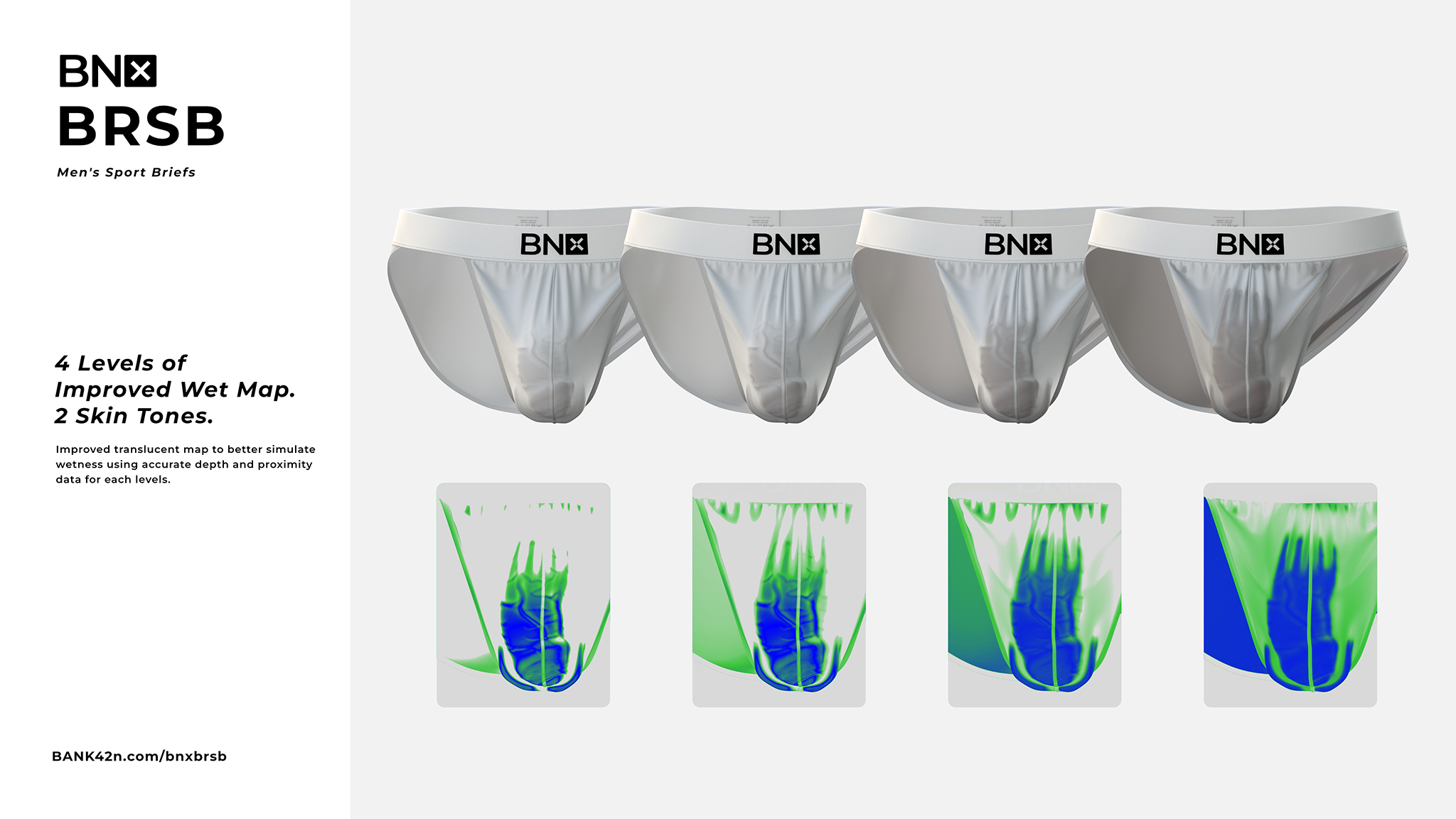
BNX BRSB's Translucent Map