
Item media
SafeMode is concealing media marked as NSFW. Use the menu to reveal it.
SafeMode is concealing media marked as NSFW. Use the menu to reveal it.
SafeMode is concealing media marked as NSFW. Use the menu to reveal it.
SafeMode is concealing media marked as NSFW. Use the menu to reveal it.
SafeMode is concealing media marked as NSFW. Use the menu to reveal it.
SafeMode is concealing media marked as NSFW. Use the menu to reveal it.
SafeMode is concealing media marked as NSFW. Use the menu to reveal it.
SafeMode is concealing media marked as NSFW. Use the menu to reveal it.
SafeMode is concealing media marked as NSFW. Use the menu to reveal it.
BTTB 7 · 2026
BTTB 7 Ultra Comfort Condom C2
Ultra Comfort Condom 003 3D Collection 2
- BTTB kind: addon
- Condom
- ER X Variant
- HQ Supported
- bttb
- bttb7
Navigate
Edition
View
Download Options




Compatible file types:
- The Sims 4 (.package)
Availability times are shown in Bangkok time (UTC+7).
By continuing to an external provider or downloading, you agree to BANK42n’s Terms of Use.
Details
Highlights
- New high-resolution 3D mesh.
- 2 colors, 2 variants.
- Realistic C-m Filled Variant.
- Compatible with the WickedWhims
Details
- Gender: Male (AM)
- Swatches: 2 Base Colors, 2 Variants (Clear/Cum Filled)
- Resolution: 2048 x 4096 px.
- HQ Mod: Supported.
File Included
Select only 1
BTTB 7 Ultra Comfort Condom Collection 2 by Merged BANK42n.package (Recommended)
A complete merge pack of all condom meshes, condom boxes, and condom objects.
BTTB 7 Ultra Comfort Condom Collection 2 by BANK42n.zip
All seperated file of UCC C2 Condom, you can delete some CAS Part or Condom set if you are not using it, but be very careful.
How to use BTTB 7 Ultra Comfort Condom Collection 2 with Wickedwhims
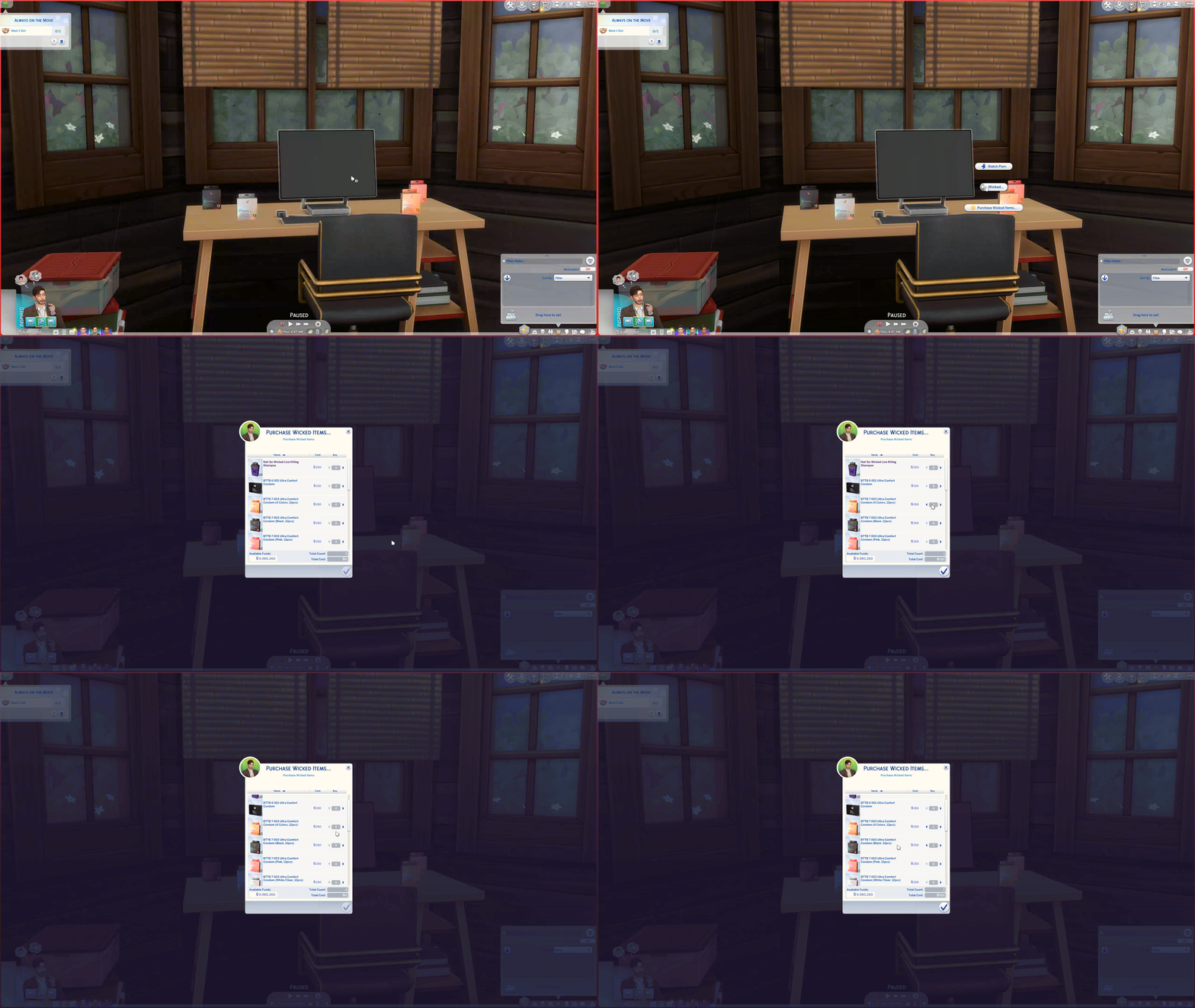
Option 1: Live Mode
Go to Live Mode → click any Computer
Choose Wicked… → Purchase Wicked Item
Pick a condom box → it will be delivered to your Sim’s mailbox (may take a moment)
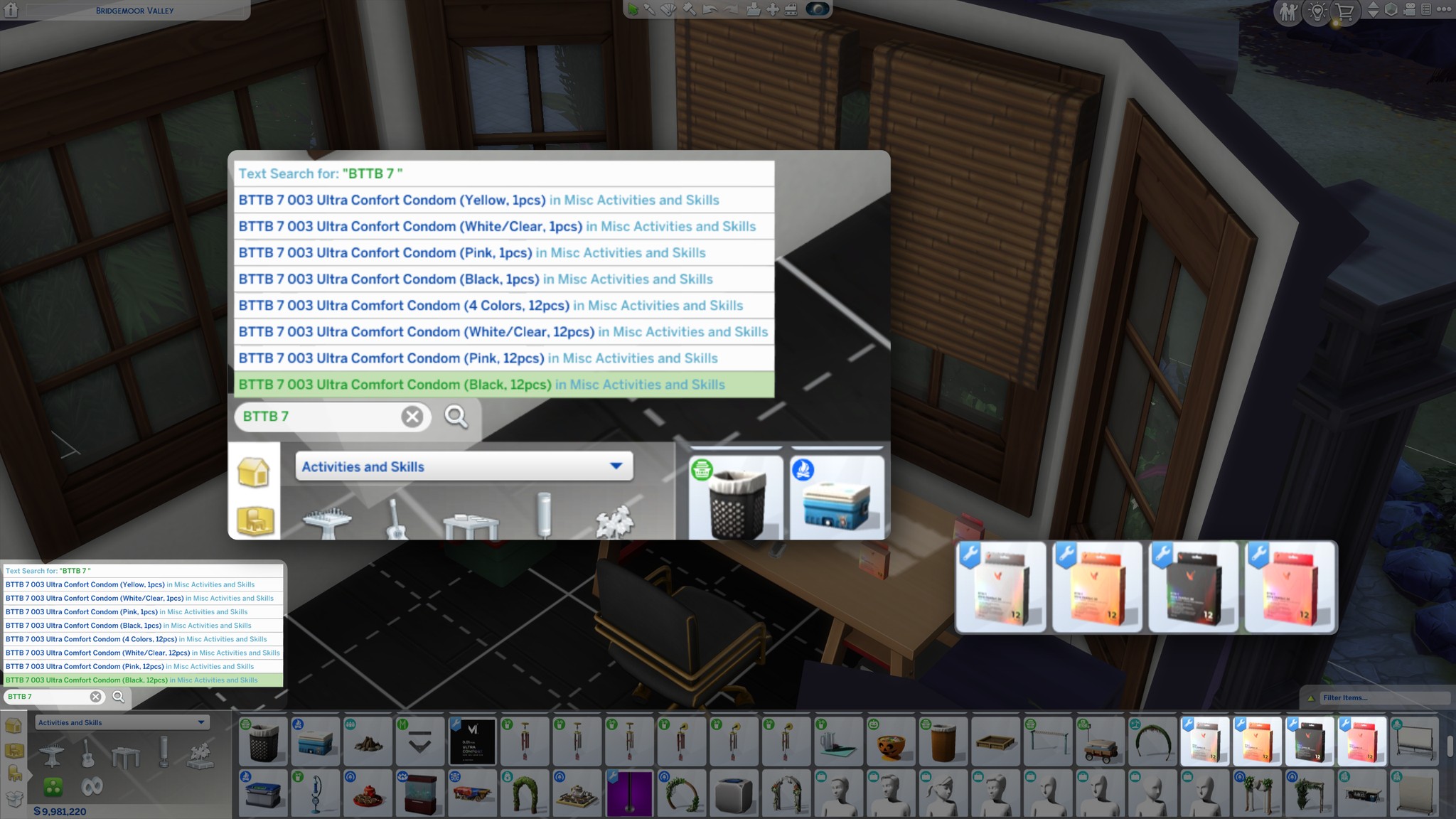
Option 2: Build Mode
- Enter Build Mode (F2).
- Navigate to Activities & Skills > Misc.
- Purchase the BTTB 7 Ultra Comfort Condom 3D box and drag it into your Sim's inventory.
Option 3: CAS
Can be worn manually in CAS (Ring slot) as an accessory
BTTB 7 Ultra Comfort Condom Collection 2 is Hide-in-CAS by default, please refer to → What is Hide in CAS and Show in CAS? - Documentation
More information about BTTB 7's Condom & Wickedwhims compatabiloty please visit:
→ BTTB 7's Ultra Comfort Condom 3D - Documentation
Supported Collection
Backward compatibility for C1 & C2 is upcoming.
Update Log
Edition Information
- CAS compatibility
- Adult Male
Installation
*Make you have WickedWhims installed
1. Extract .zip file
2. copy and paste the Package file into Mods folder in Documents\Electronic Arts\The Sims 4\Mods\