
Item media
SafeMode is concealing media marked as NSFW. Use the menu to reveal it.
SafeMode is concealing media marked as NSFW. Use the menu to reveal it.
SafeMode is concealing media marked as NSFW. Use the menu to reveal it.
SafeMode is concealing media marked as NSFW. Use the menu to reveal it.
SafeMode is concealing media marked as NSFW. Use the menu to reveal it.
SafeMode is concealing media marked as NSFW. Use the menu to reveal it.
SafeMode is concealing media marked as NSFW. Use the menu to reveal it.
SafeMode is concealing media marked as NSFW. Use the menu to reveal it.
BTTB 7 · 2025
BTTB 7 Tip-Shaft Soft Fade Overlay Collection 1
Realistic Sims 4 Skin for Men
- BTTB kind: addon
- Skin Detail
- Tip Color
- body
- bottom
- bttb
Navigate
Edition
View
Download Options




Compatible file types:
- The Sims 4 (.package)
Availability times are shown in Bangkok time (UTC+7).
By continuing to an external provider or downloading, you agree to BANK42n’s Terms of Use.
Details
Highlight:
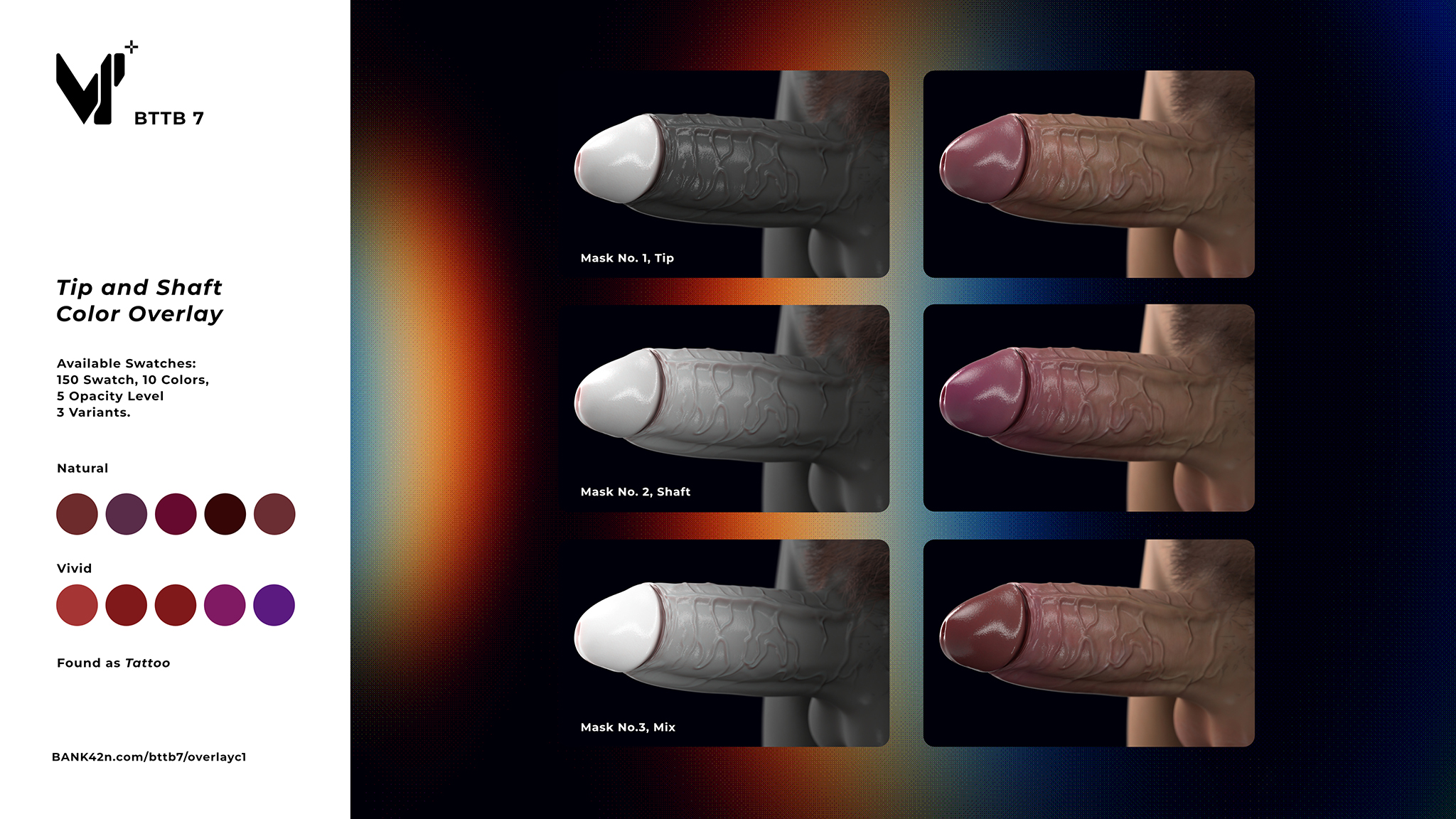
• 3 Mask, Tip, Shaft, and Mix
• 150 Swatch, 10 Colors (5 Natural + Vivid), 5 Opacity Level 3 Variants.
• Work as a Tattoo, you use multiple of them to stack and blend as you like.
Swatch Preview:
File included:
-
BTTB 7 Tip-Shaft Soft Fade Overlay Tatto Lower Arm Right Collection 1 by BANK42n.package
-
BTTB 7 Tip-Shaft Soft Fade Overlay Tatto Lower Front Collection 1 by BANK42n.package
-
BTTB 7 Tip-Shaft Soft Fade Overlay Tatto Upper Arm Right Collection 1 by BANK42n.package
You can install multiple of them and stack/blend them together in CAS, which can be found as Tattoo.
Installation:
1. Copy and paste the Package file into the Mods folder in Documents\Electronic Arts\The Sims 4\Mods\
Update Logs:
-
Edition Information
- CAS compatibility
- Adult Male
Installation
Installation:
1. Copy and paste the Package file into the Mods folder in Documents\Electronic Arts\The Sims 4\Mods\