
Item media
BTTB 7 · 2025
BTTB 7 Collection 4 Top
Greater Customizability
- BTTB kind: body
- Top
- bttb
- bttb7
Navigate
Edition
View
Download Options




Compatible file types:
- The Sims 4 (.package)
Availability times are shown in Bangkok time (UTC+7).
By continuing to an external provider or downloading, you agree to BANK42n’s Terms of Use.
Details
Highlight
• Fully support Native Skin MK IV Collection 1-3
• Improved Abs Mesh Details
• Improved Abs & Pecs Normal Map Details
• 2 Finger Thickness Options
• 3 More Body Presets
• Compatible with WickedWhims's Body Selector
Details:
At the time of the BTTB 7 release, a base mesh of BTTB 7 was made to support the previous Native Skin, which is MK 1–3. Now, as we have Native IV, which is considered the flagship for BTTB 7, it's time to finally utilize the new muscle detail of Native Skin 4.
Here’s what Top Collection 4 provides
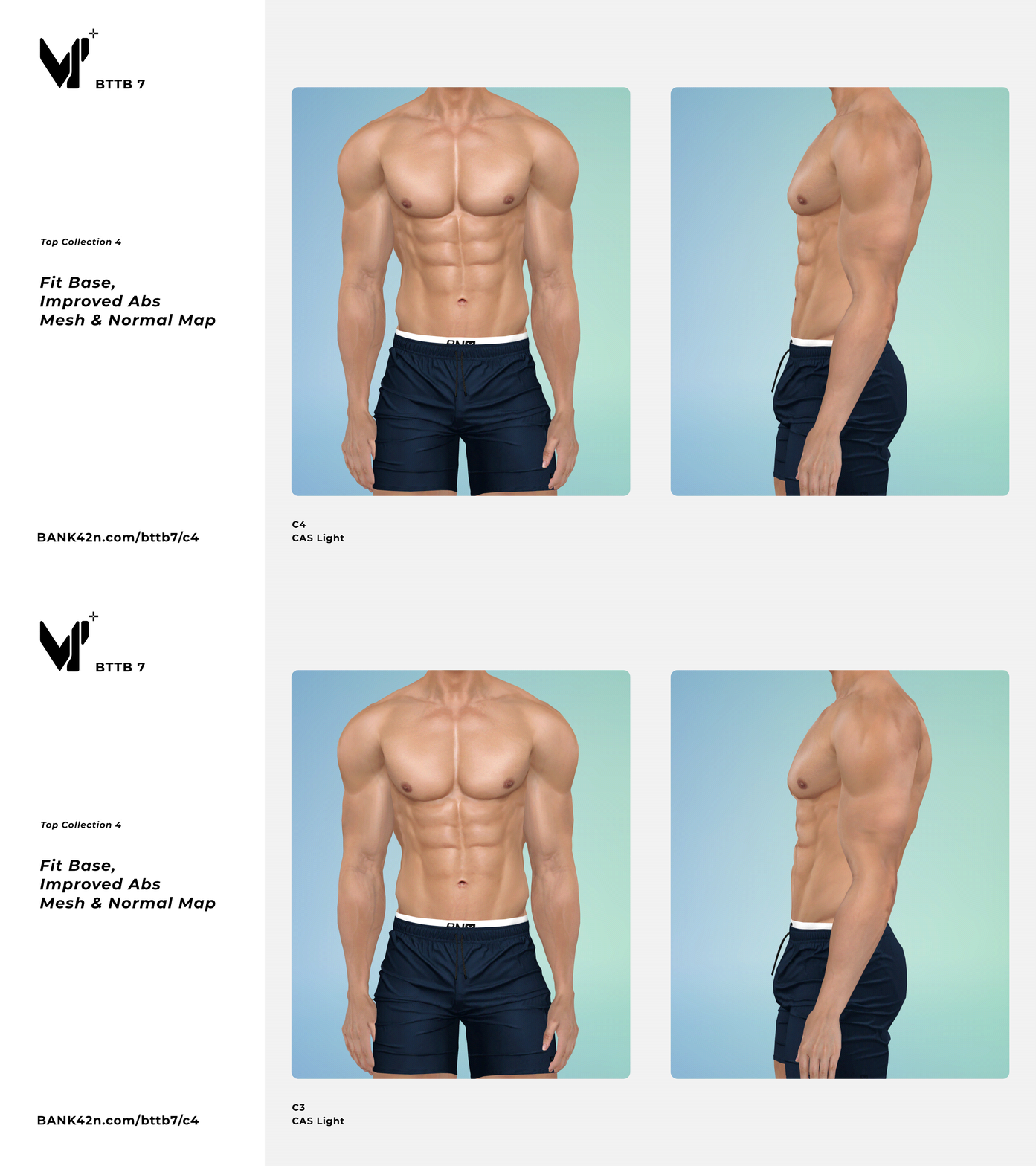
1. Improved normal map, with better interaction with in-game lighting.
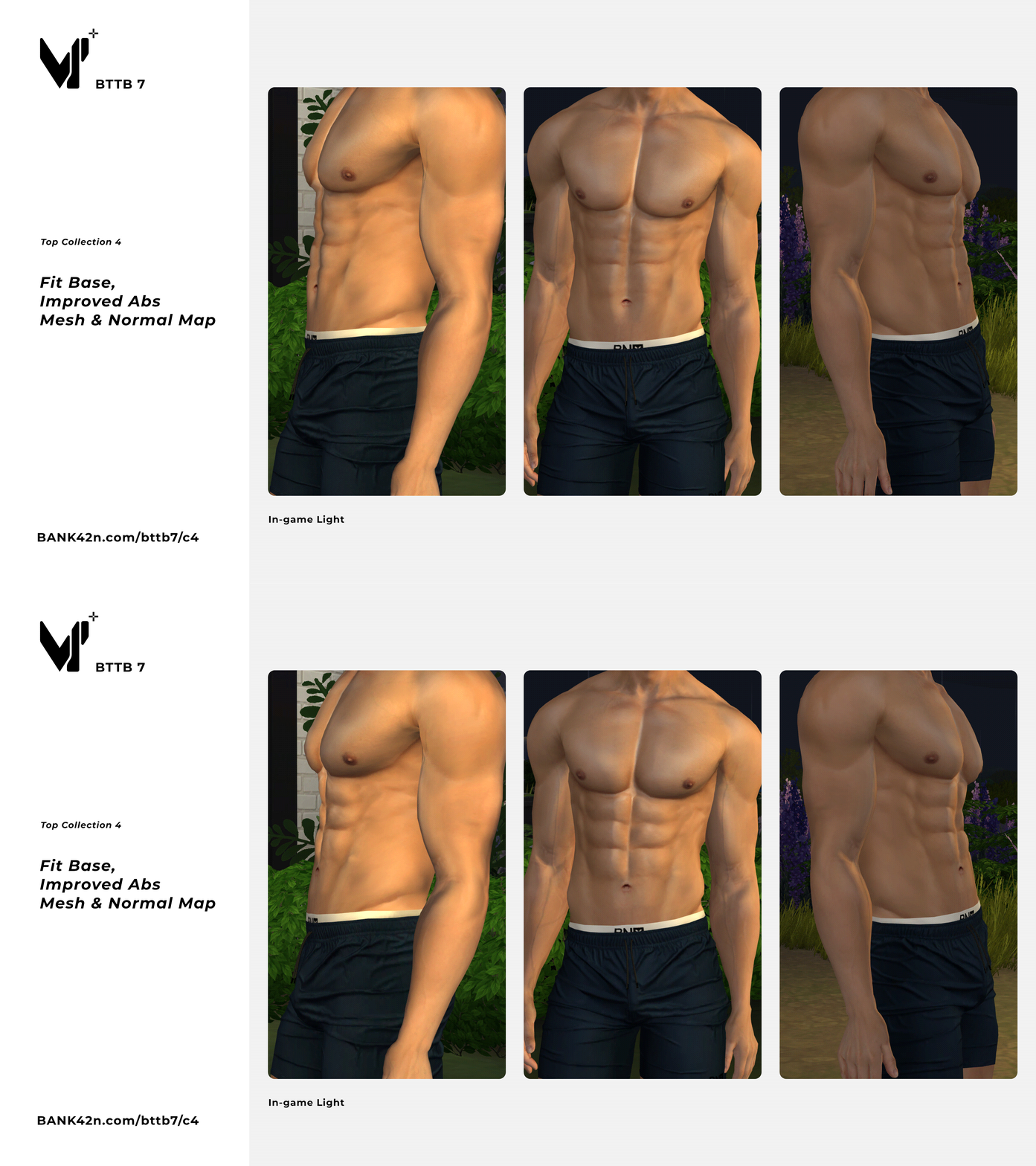
2. Improved abs mesh to correct positioning and utilize Native Skin 4's realistic texture.
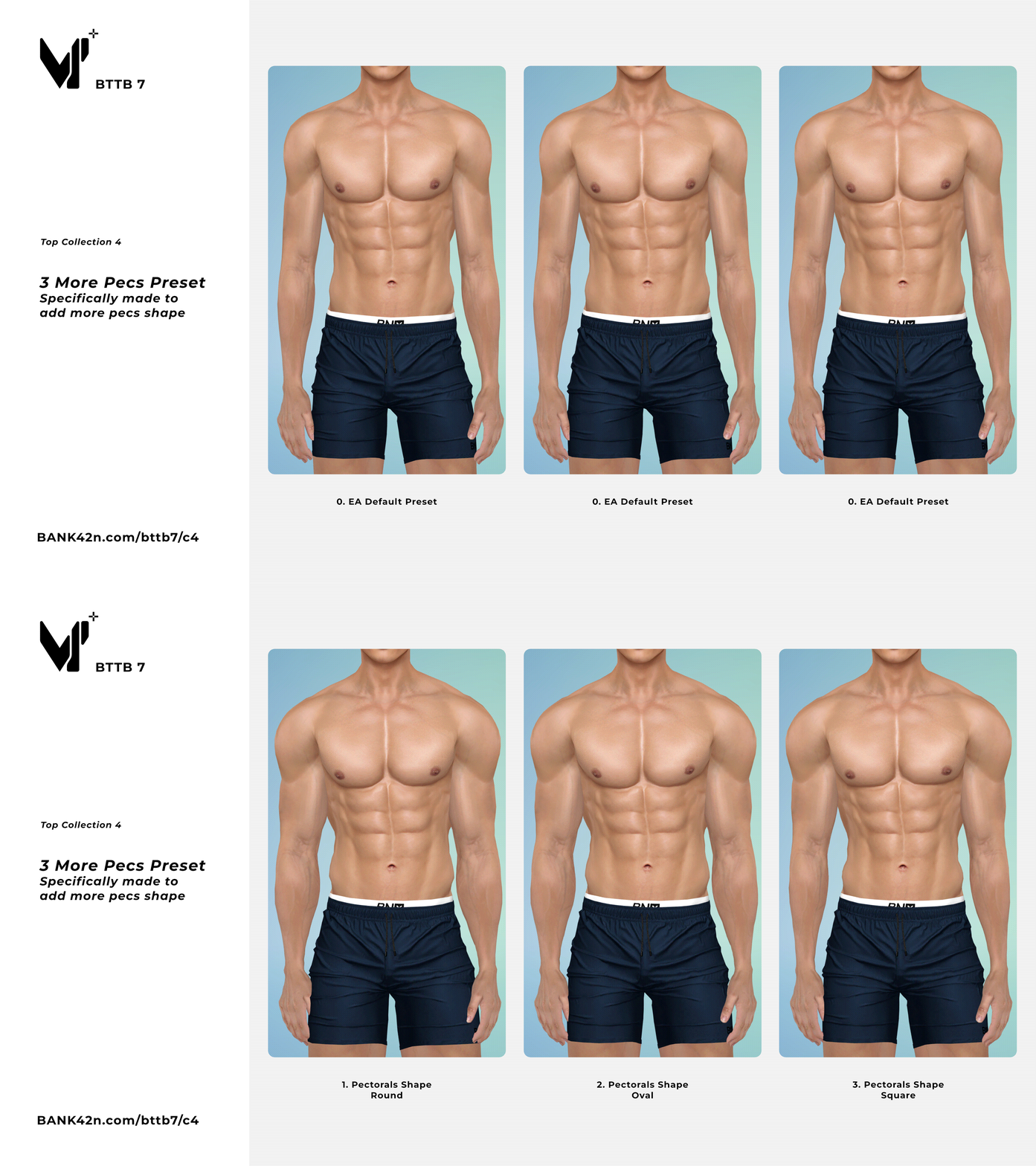
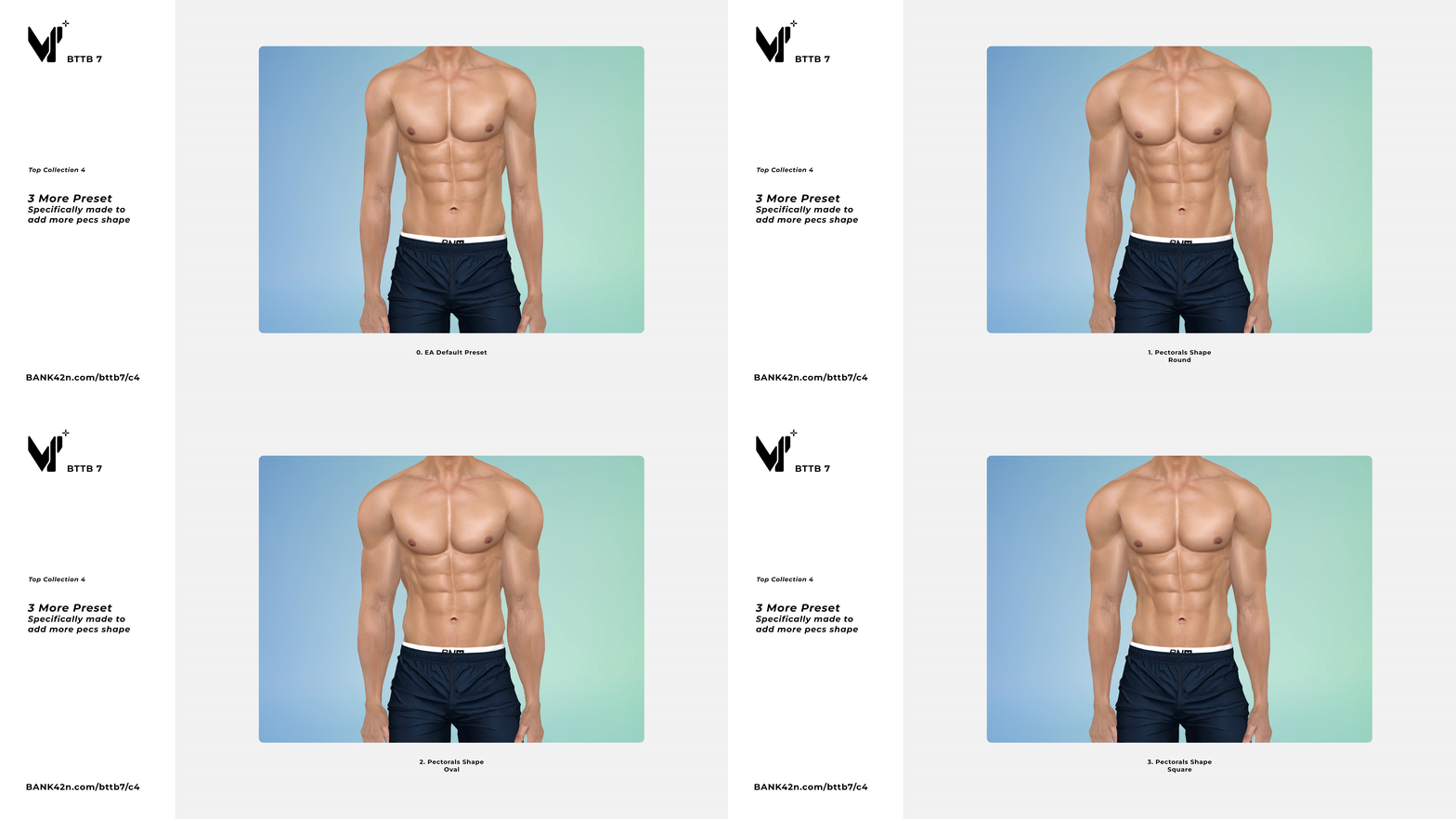
3. Three new body presets that let you choose between three pectoral shapes.
Installation:
1. Copy and paste the Package file into the Mods folder in Documents\Electronic Arts\The Sims 4\Mods\
Since the XML Tuning file is included in each package file, you can save storage and keep your game organized by installing all files or each file individually as you prefer.
Requirement
BTTB 7 Now Comes in Hide In Cas as Default
BTTB 7 now comes in Hide In CAS as default, you will not see it in CAS as useless, unless you force it to show.
Click here to Watch the video on how to force the Hide In CAS item to show in CAS.
Edition Information
- CAS compatibility
- Adult Male
Installation
Installation:
1. copy and paste the Package file into the Mods folder in Documents\Electronic Arts\The Sims 4\Mods\
Requirement
To save your storage and keep your game organized, you can install all files or each file individually as you prefer.
What is Hide in CAS and Show in CAS?
BTTB 7 now comes in Hide In Cas as default, you will not see it in CAS as useless if you force to show it.
Watch the video on how to force the Hide In CAS item to show in CAS.